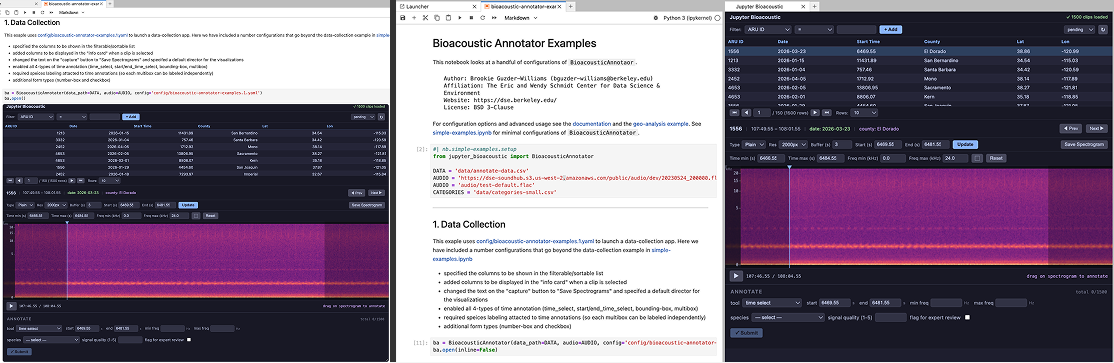
The jupyter-bioacoustic BioacousticAnnotator has minimal interface:
from jupyter_bioacoustic import BioacousticAnnotator

ba = BioacousticAnnotator(...)ba.open(): opens the application within the notebook itself. alternatively,ba.open(inline=False)will open the app as a stand-alone application in a new tab.ba.source: returns the input data as a dataframeba.output(): returns the output data as a dataframe. the data is by default only re-loaded if an update has been made. The user can force a reloadba.output(force=True). Note this is useful if the output data is modified externally.
Additionally there is a BioacousticAnnotator launcher-tile

Clicking on the laucher tile gives the user 3 options:
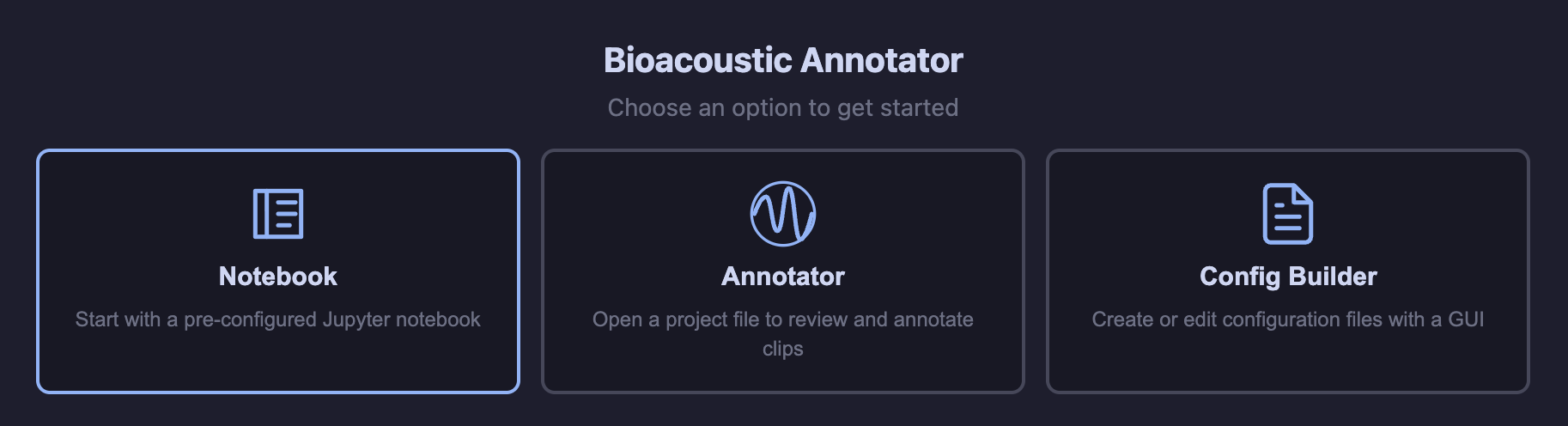
Notebook: Opens a starter notebook with imports and stubbed method calls, along with basic documentation on how to get started. This is the fastest way to start a new annotation project from scratch.
Anotator: After selecting a project, opens
BioacousticAnnotator. This is a great option during data collection when no data selection, filtering, processing or training is needed.Config Builder: Opens config-builder. When combined with the Annotator Launcher (2) provides a no-code environment for pure-annotation tasks.
BioacousticAnnotator
The app itself is composed of 3 distinct components:
Clip Table: for selecting, sorting, filtering audio-clips
Player and Visulizer: for playing, visualizing, and annotating clips
Form and Panel: for data collection and model review of the selected clip
Clip Table
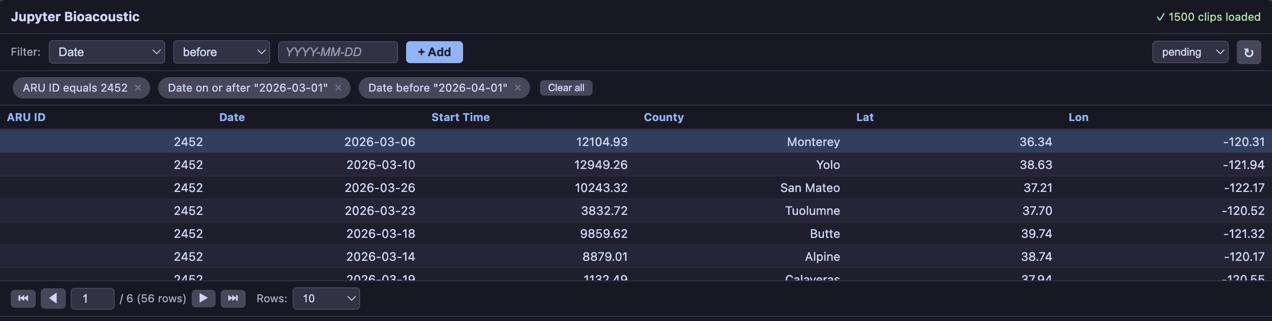
The clip table displays your input data as a sortable, paginated table. Click any row to load its audio. Features include:
GUI filter builder — select a column, operator, and value to filter. Multiple filters combine with AND logic.
Sortable — Sort on any column by clicking on its column-name
View modes — toggle between
pending,reviewed, andallrows (when duplicate prevention is enabled)Keyboard navigation — Up/Down to highlight and Enter to select, or Left/Right to select the previous/next clip
Customizable - order and select columns of interest (defaults to all columns in the dataset)
Player and Visulizer
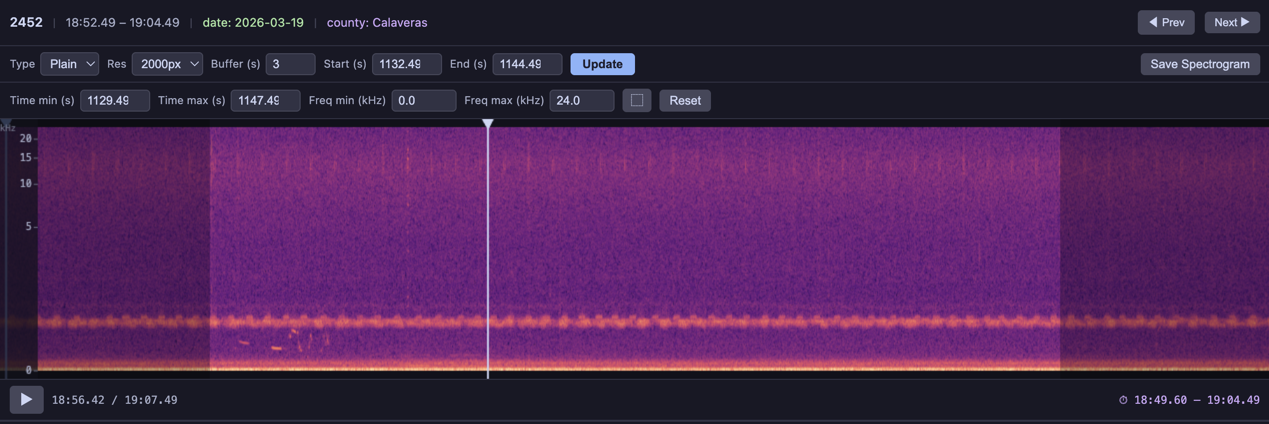
The spectrogram player renders each audio clip as an interactive spectrogram with playback controls:
Visualization type — switch between linear STFT, mel, log-frequency, or custom visualizations from a dropdown
Resolution — select rendering resolution from the
spectrogram_resolutiondropdownBuffer — adjustable time padding before and after each clip
Zoom —
+/-/0keys, zoom-to-selection box (⬚), click-and-drag to panPlayback — play/pause with Space, restart with Shift+Space, drag the playhead to scrub
Capture — save the selected visualization as a PNG
Customizable - configure available visualization types, resolutions and default buffer. Use
[[column_name]]templates to display clip info
Form Panel
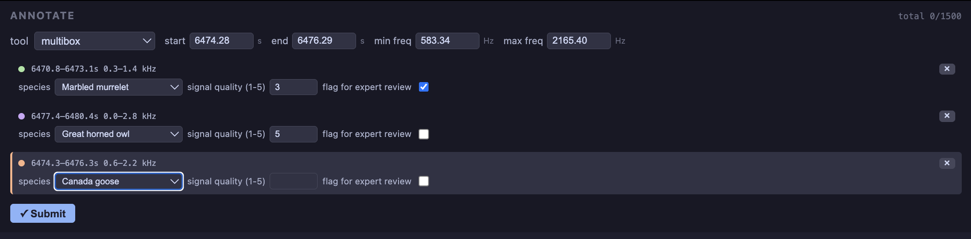
The form panel can be easily configured to contain the simplest to the most complex forms for species labeling, time/frequency annotations, reviewing model predictions, and much more:
Robust there are many options for collecting data:
select: creat simple dropdown box, source by short inline list or offering 100’s of options loaded through external file. Optionally all users to filter list by typing in values, and/or save custom valuestextbox: for collect short or log textual inputscheckbox: for true/false inputsspectrogram-annotations: the user is optionally able to draw a bounding box, mark the start/end_time, as single time marker or draw multiple bounding boxes.pass_value: for passing values (unedited) from source to output. This is useful for, say, taking andidcolumn in the source row and passing it to asource_idcolumn in the output file.
Dynamic: additional form fields may be added based on responses from previous fields
Strict: fields can be optionally requied.
Simple: Even complex forms can be created using simple yaml configuration files
Syncing: Optionally add a
sync-btnto push local annotation files to remote storage (such ass3andGCS).
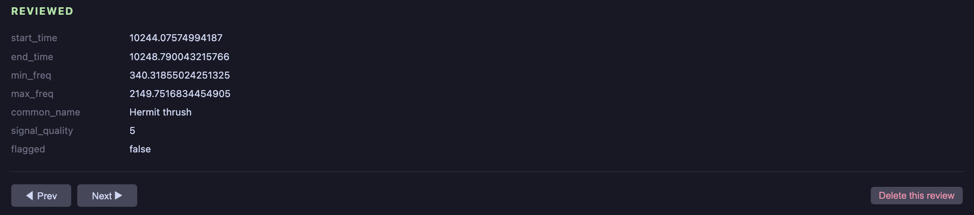
Note that, by default, the app will not allow for a row to be reviewed twice. However the option to delete an existing review and re-review it is possible